Positions and Smart action
Name sitting, standing and any other heights. Smart chooses Sit or Stand from the current height and stops an active movement first.
Smart standing desk control
Live height, safe movement and the right position for every part of your day. DeskOrbit connects compatible electric sit-stand desks with Mac, iPhone, iPad and Apple Watch.
Free download planned · Pro Lifetime with no subscription
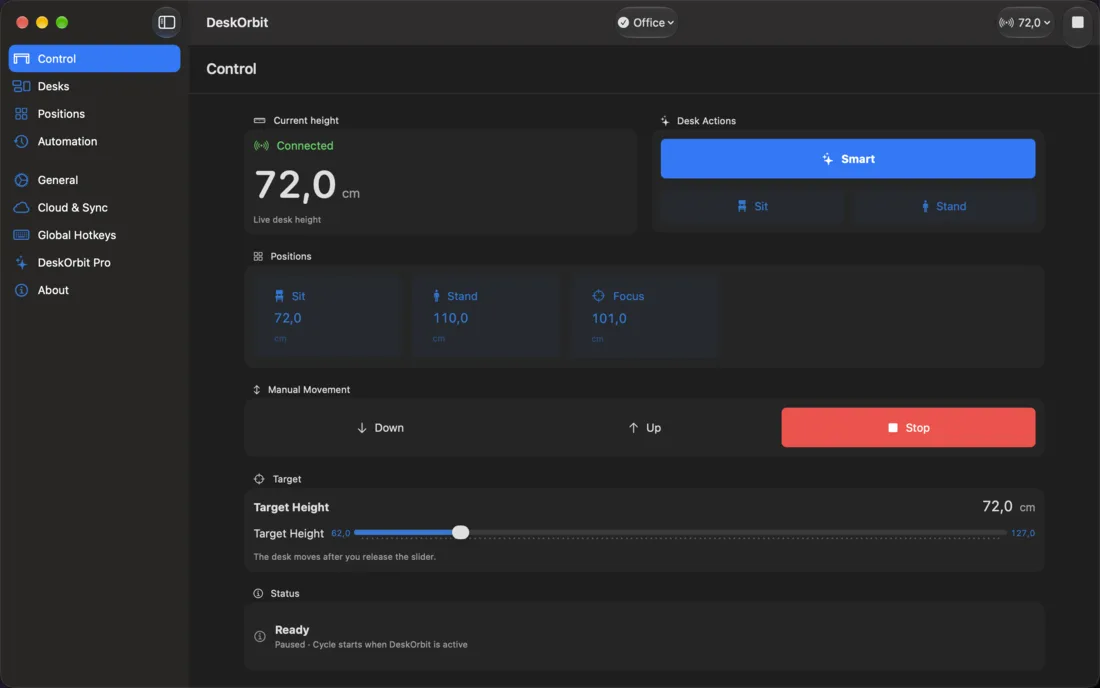
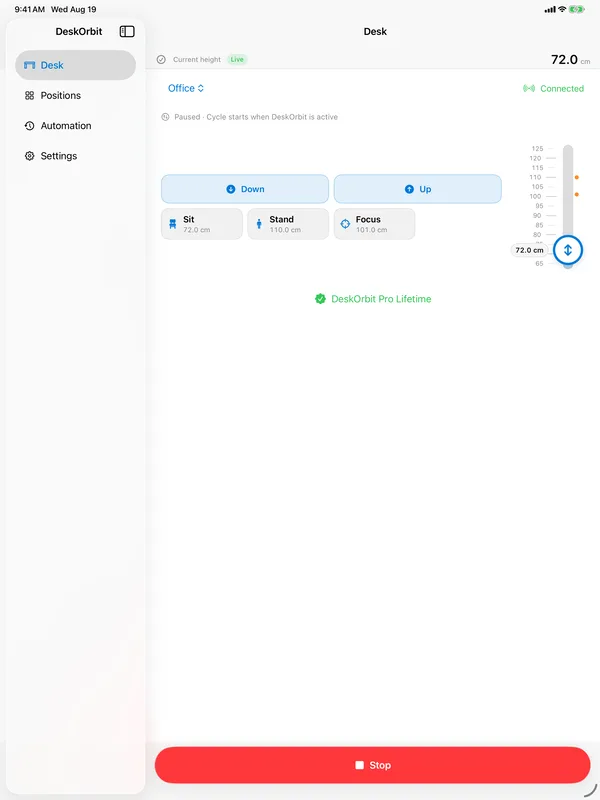
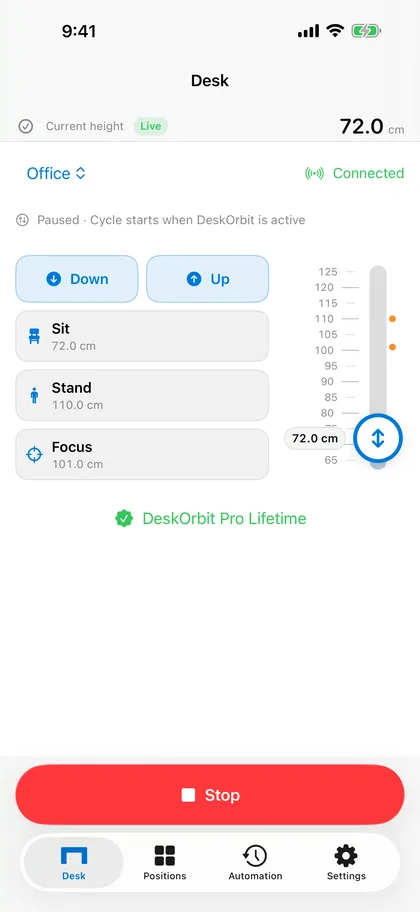
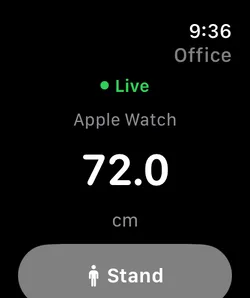
Live height and Stop always close
Hold Up or Down to move your desk manually. It stops as soon as you release. Named positions and the Smart action move it to a controlled target.
One system, many surfaces
DeskOrbit uses the Apple devices and system features that are already part of your day.
Name sitting, standing and any other heights. Smart chooses Sit or Stand from the current height and stops an active movement first.
Get reminders to change position or use safe active-use automation on Mac with a countdown. A suspended iOS process never starts unattended movement.
See status and height at a glance. Use contextual actions in widgets, Live Activities and supported system surfaces.
Run Smart, Sit, Stand, named positions and Stop through App Intents. Manual Up and Down deliberately remain held controls.
Control the active desk from the menu bar and configure global hotkeys for Smart, positions or Stop.
Use Smart, Stop and positions through a reachable iPhone or directly after local Watch pairing. It connects only when needed.
Safety is part of every command
DeskOrbit treats desk movement as a physical action, not a casual background task.
Never leave a moving desk unattended.
Manual movement continues only while Up or Down is held. Releasing sends Stop.
Target movement ends at the target, on disconnect, after a stall or no later than 45 seconds.
A visible Stop remains reachable while connected or movement is active.
DeskOrbit never forcibly takes over a Bluetooth connection already used by another device.
Bluetooth bindings stay local to each Apple device and are never synchronized.
Background iOS automations create reminders only. A suspended process starts no unattended movement.
A simple product model
DeskOrbit is planned as a free download. Keep using the core controls for free and unlock every Pro feature once for a 14-day trial.
| Feature | Free | Pro |
|---|---|---|
| Desks | 1 | Unlimited |
| Named positions | 2 | Unlimited |
| Manual controls and Stop | Included | Included |
| Smart action and automations | – | Included |
| Optional iCloud sync | – | Included |
| Widgets, Live Activities and system actions | – | Included |
| Global hotkeys on Mac | – | Included |
* Planned German base price. The App Store sets prices in other regions.
Family Sharing is not planned at launch. Lifetime is a non-consumable purchase for the same Apple Account.
Private by design
DeskOrbit needs no account, operates no product server and contains no advertising, third-party analytics or tracking.
Read the full privacy policySupport and FAQ
This page is also the official support page for DeskOrbit.
Long-press the Bluetooth button on the desk transmitter until its indicator shows pairing mode. Open DeskOrbit, choose “Connect a Desk”, approve Apple’s Bluetooth permission and select the discovered desk. Bluetooth permission cannot be approved automatically.
If no desk appears, make sure another phone, tablet, Mac or Watch is not already connected. Many desks accept only one Bluetooth central. DeskOrbit does not forcibly take over an existing connection.
Hold Up or Down for manual movement and release to stop. The red Stop control is always available. Named-position movement stops at the target, on disconnect, after a stall or after 45 seconds. Never leave a moving desk unattended.
Free includes one desk and two positions. The one-time 14-day trial unlocks all Pro features. Lifetime is a non-consumable purchase for the same Apple Account. Use “Restore Purchases” in Settings only when you want DeskOrbit to ask Apple to synchronize purchases. A downgrade never deletes saved data.
iCloud sync is optional and available during Pro or trial. Desk profiles, positions and automations sync; Bluetooth bindings remain local to each device. The Watch normally sends commands through a reachable iPhone. Without the phone, pair the Watch once with the desk; it connects only when needed.
Write directly to Marco Hillger. Support messages are voluntary and used only to answer your request.
DeskOrbit 1.0
DeskOrbit is intended for compatible electric sit-stand desks with Bluetooth control. Specific manufacturers or models will only be named after reliable testing.
DeskOrbit is independent software and is not affiliated with any desk manufacturer.